Design Thinking & Communication II
We were partnered with the Niles Township District for Special Education (NTDSE) to provide a way to keep a student’s hands occupied to avoid him swiping at other people or objects. We had to create a durable fidget toy that securely attaches to his desk or wheelchair. The fidget and attachment solution had to keep him occupied for at least ninety seconds and be able to securely attach to his desk such that he could not throw or remove the fidgets when in use.
Problem Exploration and Mockups
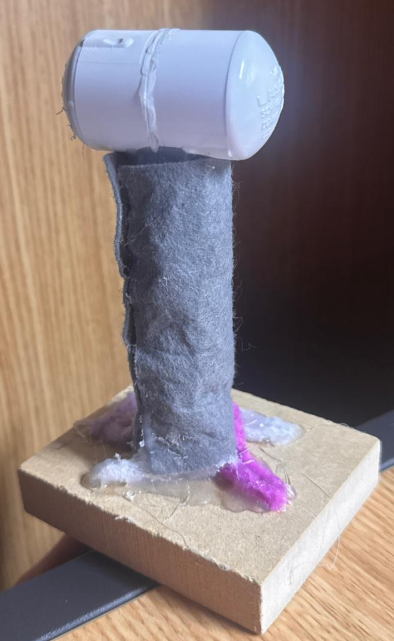
Joystick Mockup
After our user testing, we determined that our design had to be much more durable to repeated blunt force from our user. We ideated hundreds of different combinations of solutions to come up with the best combination of fidget modularity, strong attachment, and safety. The best performing and most durable solutions determined in performance testing were:
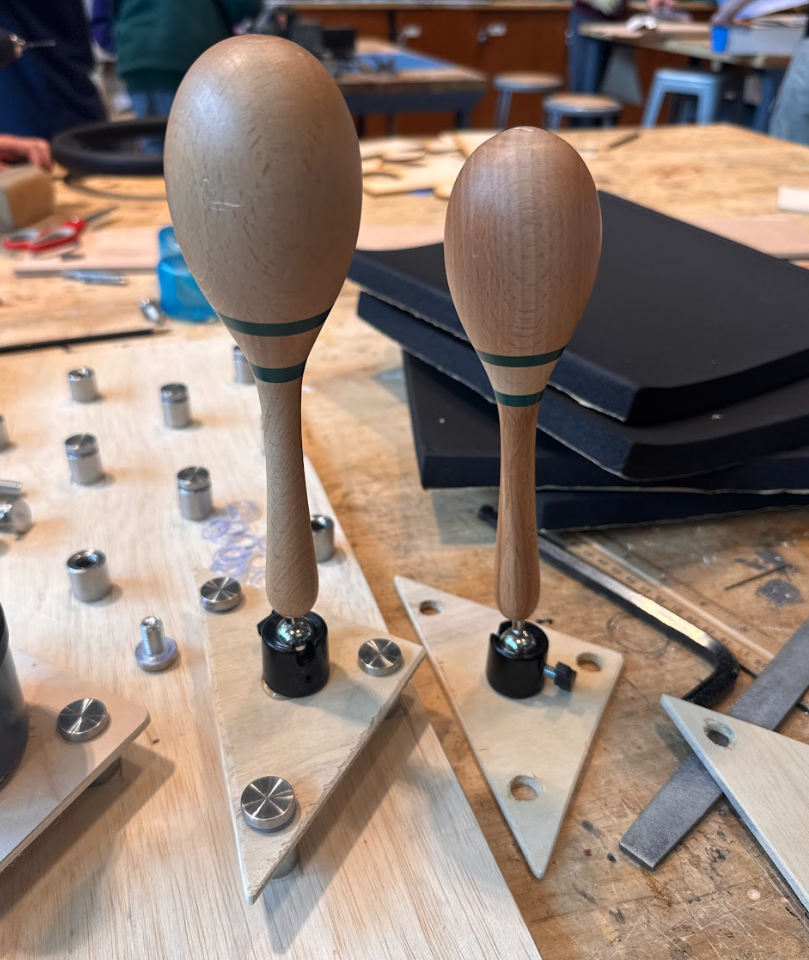
a joystick with rattle noise when shaken
noise producing buttons
We based our decisions based on how long each of our designs kept the user busy, and how engaged the user remained with the fidget during the testing (observed by measuring body movements, facial expressions, and oral communication.
After our team completed our user-testing, primary, and secondary research, our team determined that our design should include:
a modular design to allow for more options
both visual and auditory stimulation
a design that is safe for our user and those around them
We tested these mockups with our user at the NTDSE facility and found that our attachment methods were not sufficient. In addition, the buttons and joystick were not strong enough to withstand the user’s force.
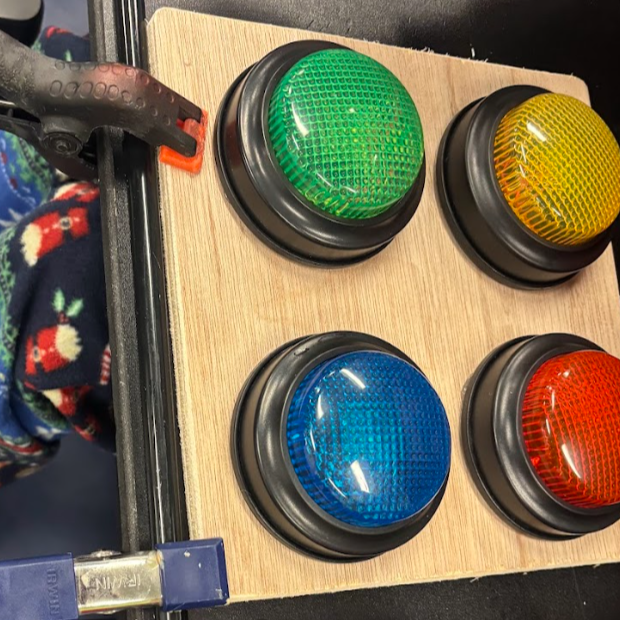
Button Mockup

Proposed wooden desk attachment system
Building and Testing
We returned to the NTDSE site to take some measurements and photos of our user’s desk. Then, based on the desk, we created a sketch of a wooden board that could attach directly to the desk already present on our user’s wheelchair. The wheelchair desk has Velcro that keeps the desk attached, so we decided to implement Velcro strips on the top and bottom of our sketch to interface with the attachment system already present on the desk.
Our team came up with a pegboard type modular system featuring 3/4-inch standoff screws placed in a triangulated fashion that could interface with a universal triangular attachment for fidgets. A layer of 3/4-inch foam was designed to adhere to the desk to reduce the risk of injury from hitting the desk with the standoffs.
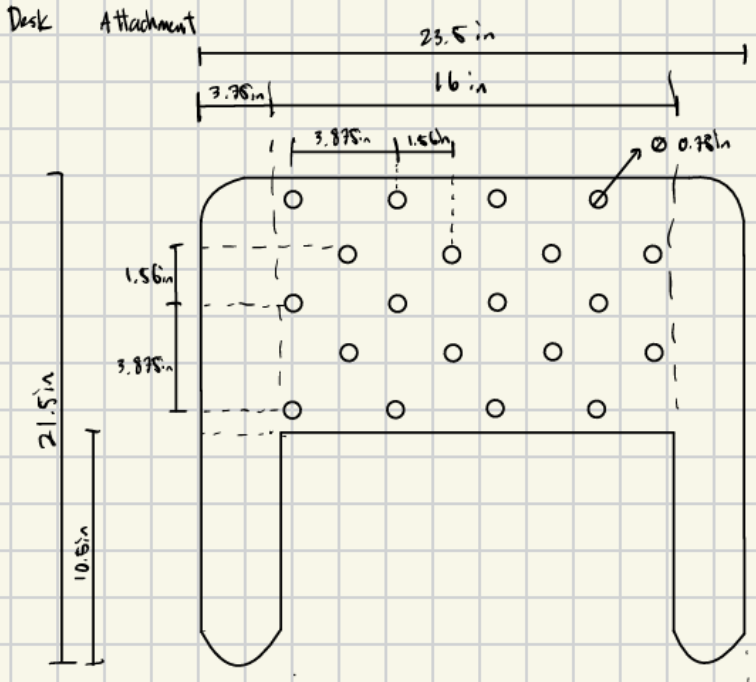
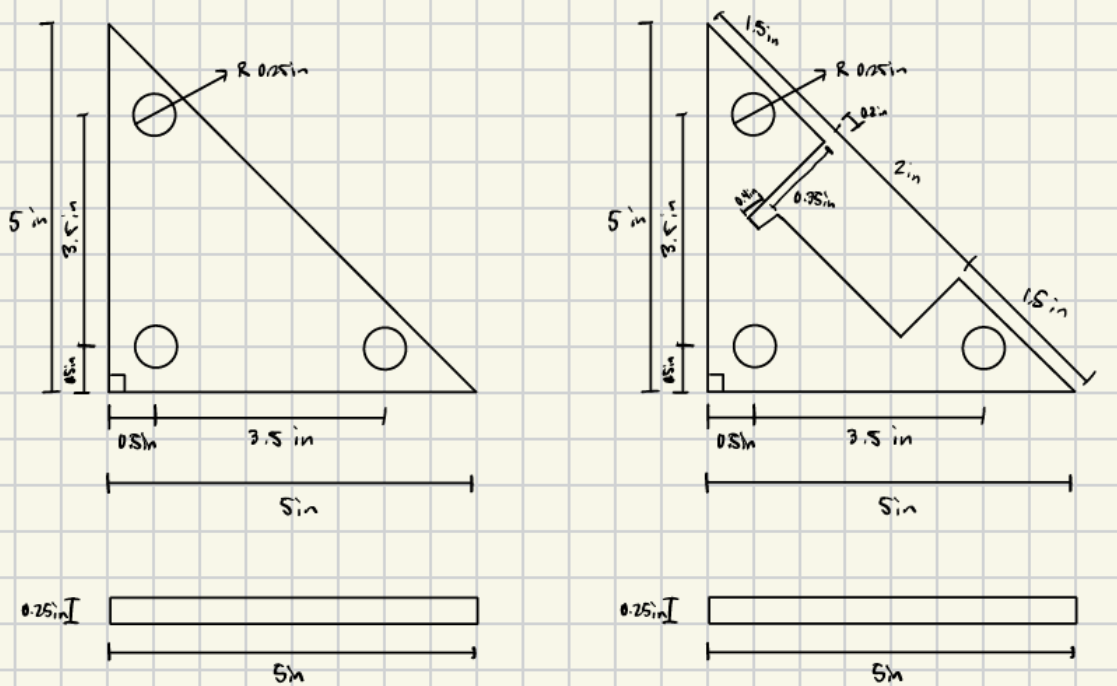
Once the sketches were completed, I constructed the desk, triangular attachments, and placed the standoff screws. We designed to minimize weight while keeping a durable design, 1/2-inch plywood for the base of the desk and 1/4-inch plywood for the triangular attachments, since they would be supported by standoffs and foam.
I used primarily the vertical bandsaw, an orbital sander, and hand tools to produce the desk and attachments.
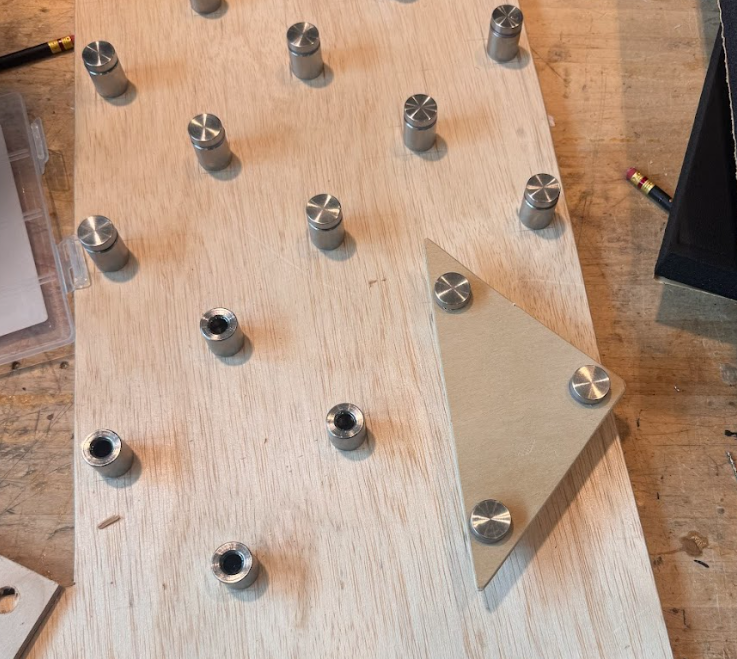
Triangular attachment with desk
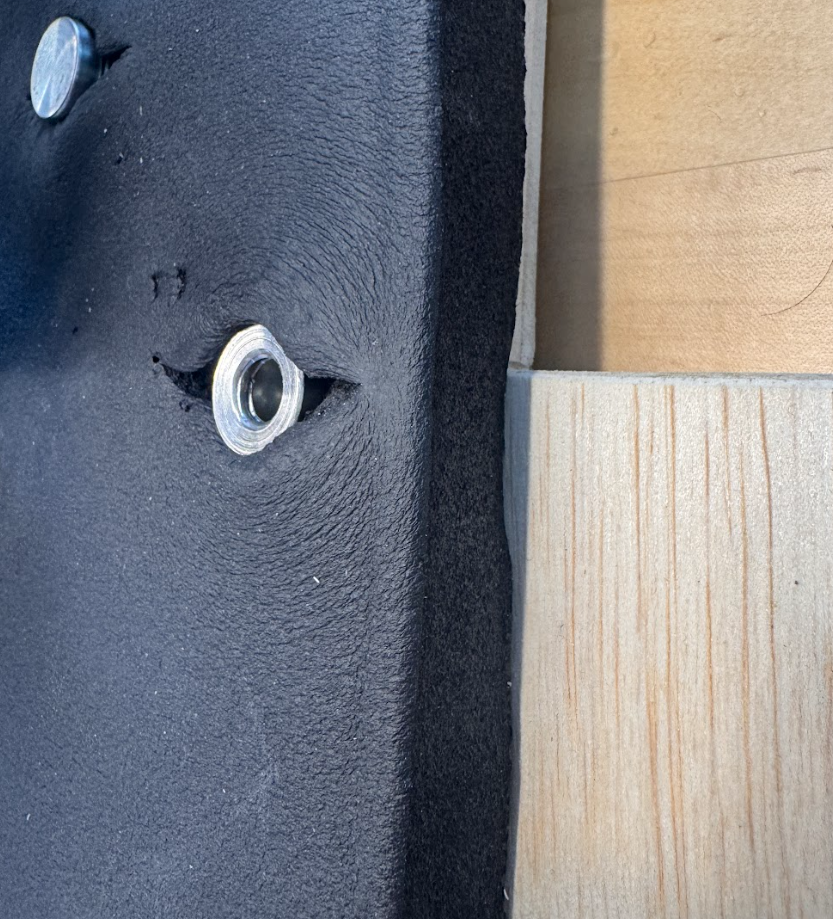
Standoff with foam protection
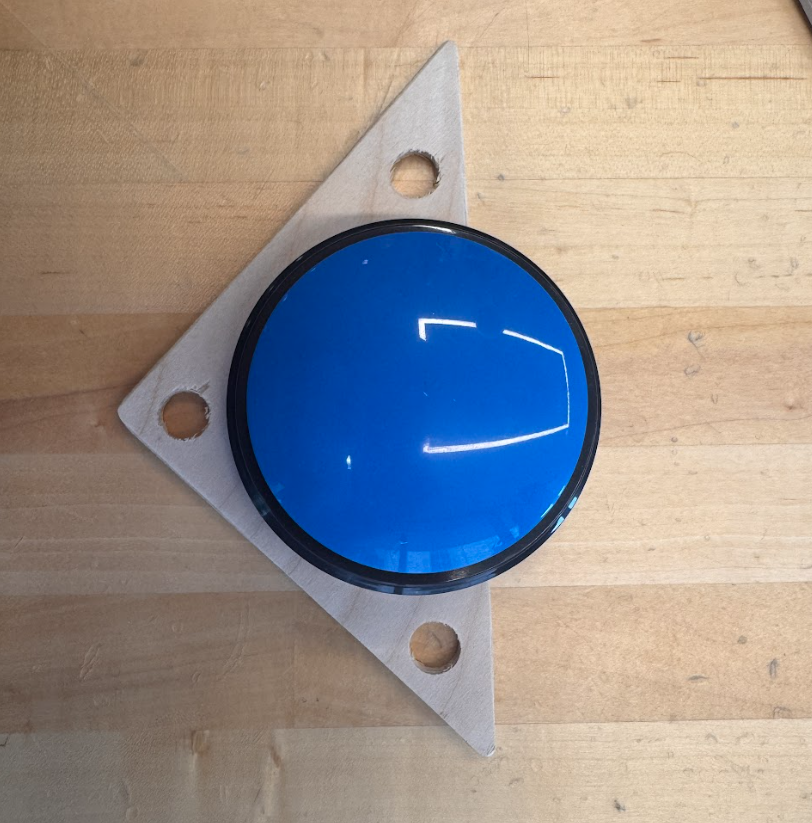
Two types of triangular attachments had to be designed to account for the battery compartments on the bottom of our noise producing buttons.
We measured the size of the battery compartment and designed for a cutout that would allow for easy battery replacement.
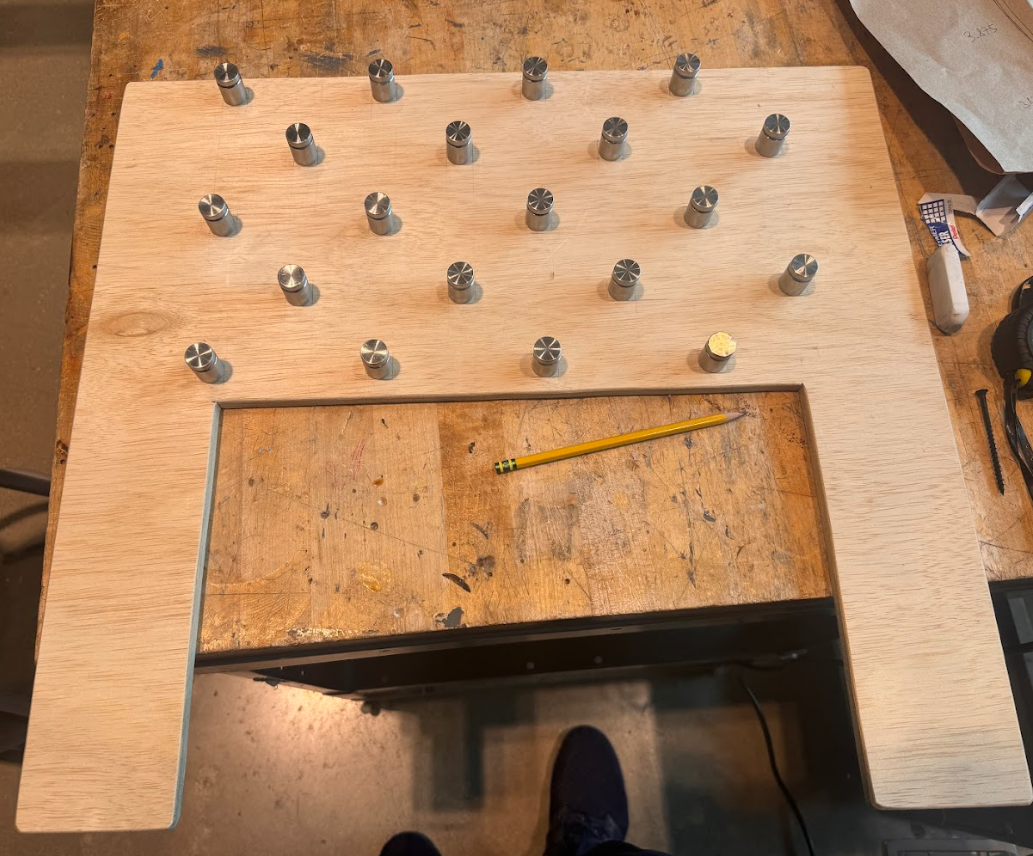
Desk with standoffs
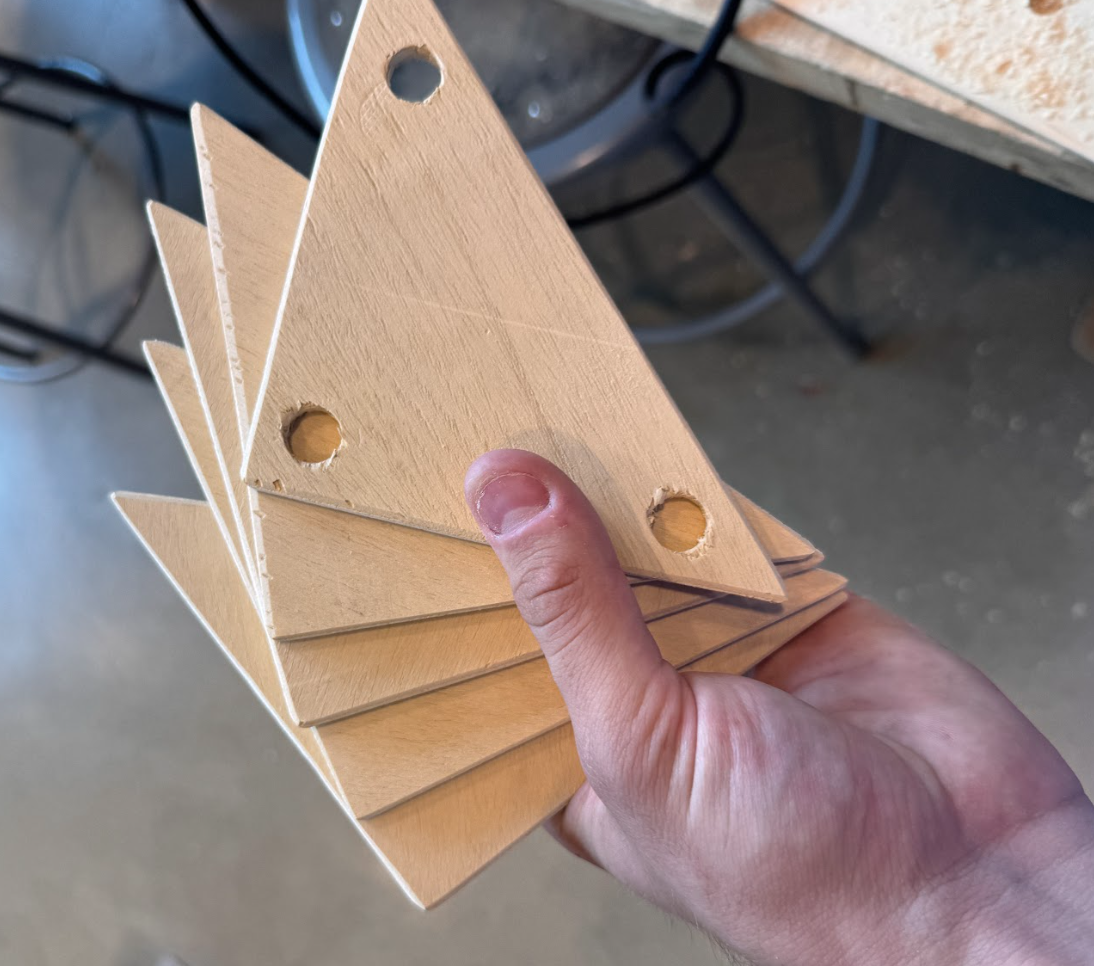
Triangular attachments
Programmable Button
Results
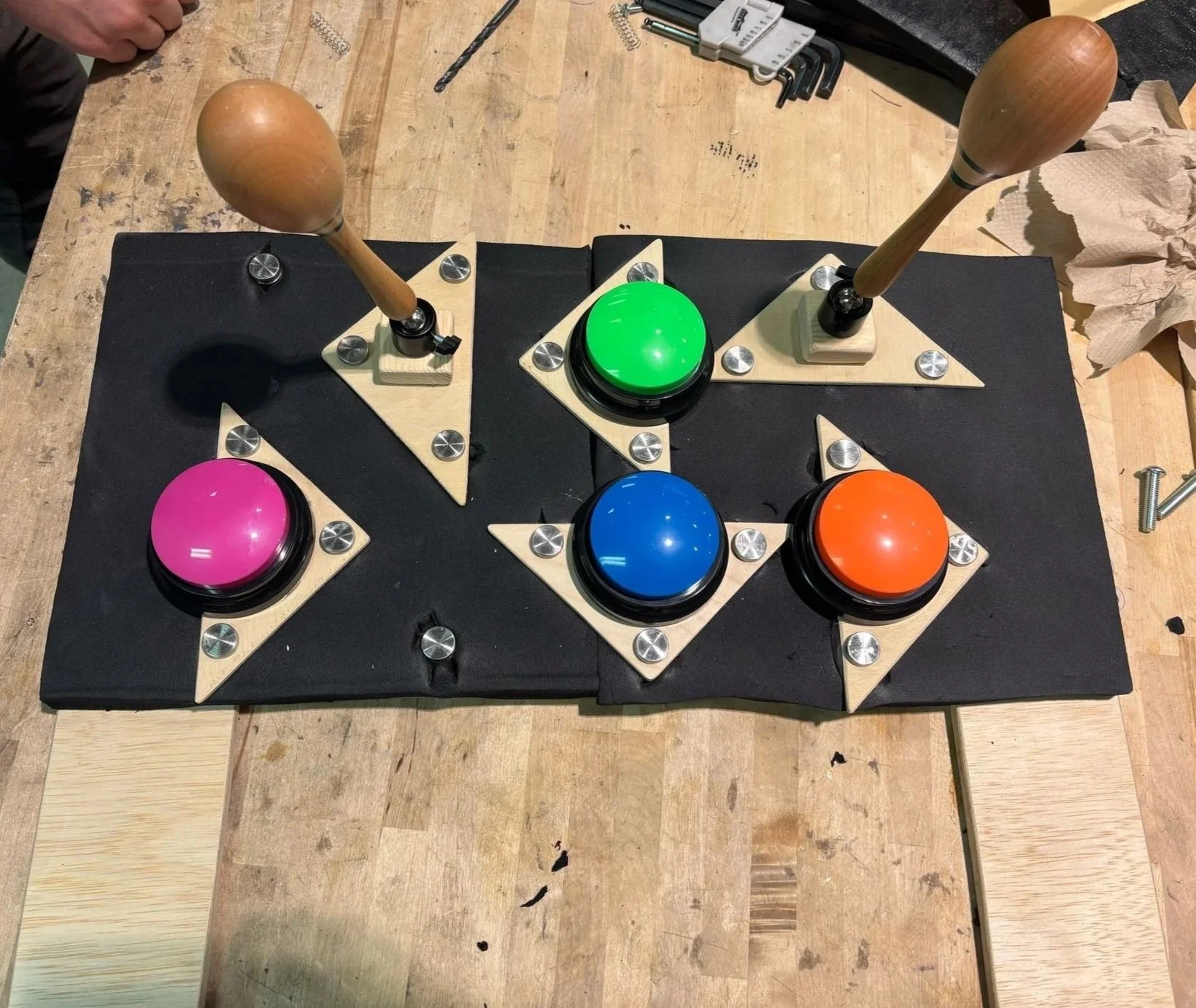
The final design is a modular fidget board that can interface with both team’s fidgets, allowing for more variety in case our user needs new or different fidget options. Our team designed two different fidgets for the board that can be attached in various orientations with other fidgets. The full design includes:
A modular fidget board with a foam cover – the board has evenly spaced standoff screws that allow for many fidget orientations. The foam helps keep our user’s hands safe in the event that he hits the board with his hands.
Joystick fidgets that rattle when moved or shaken – these joysticks provide our user with physical and auditory stimulation and provide the ‘cause and effect’ aspect of toys that he enjoyed in testing.
Programmable buttons – these buttons can take any auditory input to allow for full customization based on our user’s interests. Buttons are easily programmable with a single button and variable magnitude of sound.
Full Modular Design
Joystick Rattle